HP SERVER REPAIR & SERVICE SOLUTIONS
1. The Importance of Timely HP Server Maintenance
HP servers are known for reliability, but regular maintenance is essential to keep them performing at their best. Over time, hardware components wear out and software becomes outdated. Scheduled checks can identify issues before they escalate into costly failures. Performance optimization, firmware updates, and hardware cleaning are crucial. Timely maintenance extends the server’s lifespan and improves uptime. It also reduces unexpected downtime and protects your data integrity. Businesses relying on mission-critical servers can’t afford breakdowns. Maintenance also ensures compliance with industry standards and internal policies. It’s a proactive step to avoid reactive expenses. Keep your HP server strong with regular service.
2. Common Issues Faced in HP Servers
Even top-tier HP servers face occasional technical issues. Common problems include overheating, memory failure, power supply issues, or system crashes. RAID controller malfunctions and corrupted OS are also frequent concerns. Hardware compatibility issues may arise during upgrades. Fans and cooling systems can become inefficient due to dust buildup. Aging hard drives often lead to data read/write errors. Software bugs or misconfigurations may also slow down operations. Identifying the root cause requires expert diagnostics. Addressing these problems early prevents prolonged downtime. Professional repair ensures your HP server stays reliable and secure.
3. Diagnosing Hardware Failures in HP Servers
Diagnosing hardware issues in HP servers requires a structured approach. Technicians begin by analyzing system logs and LED indicators. Advanced diagnostics tools like HP Insight Diagnostics or iLO monitoring help detect faults. Memory testing, processor stress tests, and drive health scans are common steps. A failing PSU, motherboard, or RAID card can bring down operations. Identifying faulty components early helps avoid data loss. Each part is evaluated individually to rule out cascading issues. Replacement decisions are based on failure severity and component age. Accurate diagnostics are the foundation of effective repair. Only trained professionals should handle hardware-level testing.
4. Benefits of Professional HP Server Repair Services
Professional repair services provide much more than just part replacements. Certified technicians understand HP’s architecture and product-specific nuances. They ensure accurate diagnostics, genuine parts usage, and long-term fixes. Repairs are performed under anti-static environments, minimizing risks. Comprehensive testing is done before declaring a server production-ready. Repaired servers are optimized for performance and energy efficiency. Professionals also update firmware and check for compatibility conflicts. Service providers offer warranties, giving businesses peace of mind. It’s safer, faster, and more cost-effective than DIY fixes. Partnering with experts ensures business continuity and data security.
5. Data Recovery Services for Failed HP Servers
A sudden HP server failure can risk vital business data. Professional data recovery services can retrieve lost or corrupted data from failed drives or arrays. Experts use specialized tools to recover data from damaged sectors, RAID setups, and encrypted disks. Logical and physical recovery methods are applied depending on the scenario. Advanced cleanroom labs ensure safe handling of drives. These services often recover data that seems permanently lost. Timely recovery prevents operational setbacks and financial losses. Experts also identify root causes to prevent recurrence. Backup audits and disaster recovery planning are provided post-recovery. When data is on the line, rely on certified recovery services.
6. Upgrading HP Server Hardware for Better Performance
Over time, servers need upgrades to match growing workloads. Upgrading RAM, SSDs, processors, and network cards can boost performance. HP servers support modular enhancements without replacing entire units. Proper upgrades improve speed, data processing, and energy efficiency. Compatibility checks are crucial to ensure smooth operation post-upgrade. Technicians assess bottlenecks before recommending the right upgrades. Newer hardware often brings enhanced security and virtualization features. Strategic upgrades extend server life and delay capital expenditure. Firmware updates should accompany any hardware change. A well-upgraded server supports modern business demands with ease.
7. Importance of Firmware and BIOS Updates in HP Servers
Firmware and BIOS updates fix security flaws, improve stability, and enable new features. HP regularly releases updates to enhance server performance and security. Outdated firmware may lead to compatibility issues or performance lags. Updates ensure your server meets modern software requirements. These updates can improve thermal management, power control, and CPU utilization. IT teams must perform updates cautiously to avoid system crashes. Backups and test environments are recommended before applying changes. Automated tools from HP help streamline the update process. Regular updates also align with cybersecurity protocols. Keeping your firmware current is a critical part of server maintenance.
8. Cooling Solutions for Overheating HP Servers
Overheating can cause HP servers to slow down or crash unexpectedly. Efficient cooling is vital for maintaining server health and longevity. Dusty fans, blocked vents, and poor airflow contribute to temperature spikes. Installing additional cooling fans or better heat sinks can help. Liquid cooling is another option for high-performance environments. Rack positioning and cable management also affect airflow efficiency. Monitoring tools alert you when temperature thresholds are exceeded. Regular maintenance includes cleaning and thermal paste reapplication. Cooling upgrades reduce stress on internal components. Prevent overheating and boost uptime with the right thermal strategy.
9. HP Server Health Monitoring Best Practices
Monitoring server health in real-time prevents catastrophic failures. HP’s tools like Integrated Lights-Out (iLO) and Insight Remote Support offer smart monitoring. They track CPU usage, memory consumption, fan speed, and disk health. Alerts notify administrators before components fail. Monitoring ensures proactive issue resolution and better resource allocation. Customized dashboards simplify server oversight for IT teams. Integrating health data into centralized NOC systems improves efficiency. Logs are used for audits, compliance, and performance reviews. Continuous monitoring is vital for mission-critical environments. Healthy servers lead to stable, scalable, and secure operations.
10. Cost-Saving Tips for Long-Term Server Maintenance
Server maintenance can be expensive, but there are ways to reduce costs. Preventive maintenance is cheaper than emergency repairs. Use monitoring tools to detect issues early and minimize downtime. Extend hardware life with timely cleaning and part replacements. Upgrading key components is more cost-effective than full replacements. Avoid unauthorized repairs that can void warranties or cause damage. Outsourcing to experts ensures efficient, error-free service. Keep firmware updated to reduce compatibility and security risks. Choose energy-efficient upgrades to cut power bills. Investing in maintenance saves more than reactive fixes. Smart maintenance is a smart business decision.
11. Remote Support Options for HP Server Troubleshooting
Remote support services help troubleshoot servers without on-site visits. Secure tools enable technicians to access systems remotely and identify issues. Minor software or configuration problems can be resolved quickly. Remote diagnostics reduce downtime and IT costs. Experts can guide your team through fixes or initiate patch deployments. HP’s iLO and Intelligent Provisioning tools enhance remote capabilities. Support teams operate 24/7, ensuring faster resolution. Businesses benefit from convenience and continuous coverage. Sensitive data remains protected through secure remote sessions. Remote support is fast becoming the standard in modern IT servicing.
12. Preventive vs. Reactive HP Server Maintenance
Preventive maintenance schedules help detect and fix issues early. It involves regular inspections, updates, and cleanups. Reactive maintenance only occurs after a breakdown, often causing downtime. Preventive actions reduce hardware stress and improve uptime. Costs are more predictable and manageable compared to emergency repairs. Businesses should establish a calendar-based or usage-based maintenance plan. Logs and reports help track effectiveness and adjust schedules. Preventive maintenance ensures a longer hardware lifecycle. It also boosts network performance and security. Being proactive protects both your servers and your business reputation.
13. When to Replace Instead of Repair Your HP Server
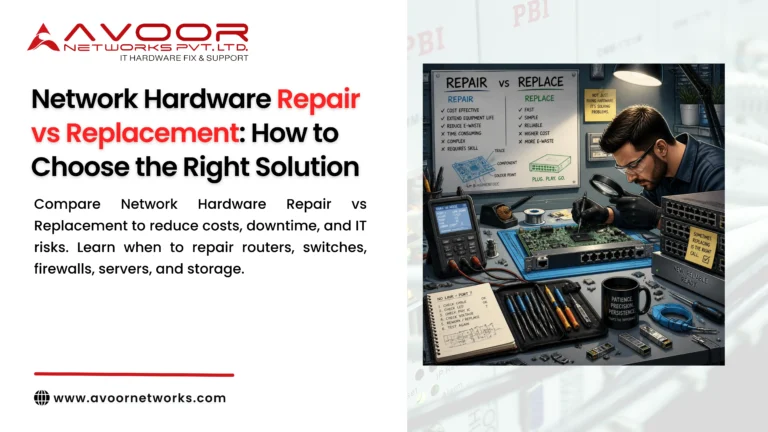
At times, repair may not be the most cost-effective solution. If your HP server is older than 6-8 years, replacement might be more economical. Repeated breakdowns signal deeper issues that can’t be patched forever. Performance lag or lack of compatibility with new software is a red flag. Maintenance costs exceeding 50% of a new server’s cost suggest replacement. Upgrading old systems may offer limited gains. Newer servers are more energy-efficient and scalable. Vendors often provide trade-in discounts on replacements. Consider business growth and workload demands before deciding. Replacing at the right time ensures operational continuity and savings.

14. On-Site vs. Off-Site Server Repair Services
On-site repair is suitable for urgent or large-scale server issues. It reduces server handling and physical transport risks. Off-site repair involves taking hardware to a facility for deeper diagnostics. It’s ideal for non-critical, complex repairs needing specialized tools. On-site services offer speed and less downtime. Off-site repairs may provide more comprehensive testing. A good service provider offers both options based on your needs. Data sensitivity and urgency often guide the choice. For remote businesses, off-site repair with pickup is convenient. Choose the model that best balances cost, speed, and security.
15. Why Choose Authorized HP Service Partners
Authorized service partners follow HP’s guidelines and standards. They use genuine parts and certified technicians trained by HP. This ensures warranty compliance and consistent service quality. Unauthorized repairs may damage components and void warranties. HP-certified providers access updated diagnostics tools and firmware. They also provide documentation and service records for audits. These partners can escalate issues to HP for quick resolution. They offer customized service contracts with transparent pricing. Authorized partners are your safest bet for dependable server care. Trust, quality, and accountability come standard.
16. Avoor Networks: Your Trusted HP Server Repair Expert
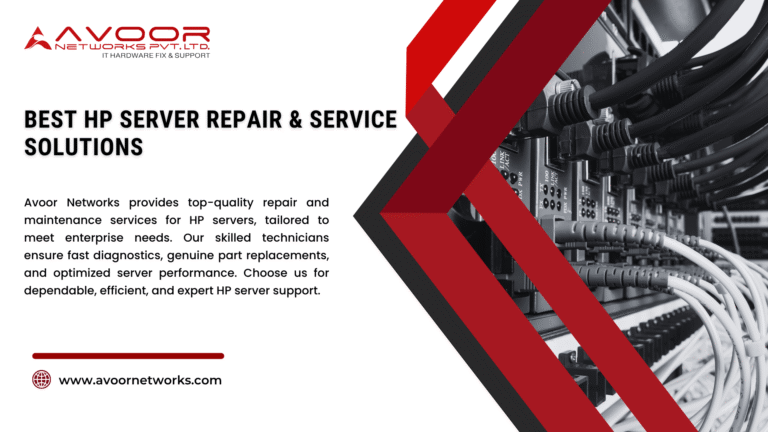
At Avoor Networks, we specialize in fast, reliable HP server repairs. Our technicians are HP-trained and certified to handle all generations of servers. We use only genuine parts and industry-best diagnostic tools. Whether it’s a RAID failure or firmware update, we’ve got you covered. Our support extends across on-site, off-site, and remote assistance models. Businesses trust us for our transparency, speed, and expert care. We offer flexible maintenance contracts tailored to your needs. From diagnostics to upgrades, we ensure minimal downtime and optimal performance. With Avoor, you get more than service—you get peace of mind. Your HP servers are in safe hands.
17. Extend Your HP Server’s Life with Avoor’s Expert Upgrades
Upgrading instead of replacing? Avoor makes it simple and cost-effective. We evaluate your HP server’s performance bottlenecks and suggest strategic upgrades. From memory expansions to SSD integrations, we boost your server’s capabilities. All upgrades are done using compatible, certified components. Our process includes firmware updates and compatibility testing. You’ll experience faster operations, improved virtualization, and better energy efficiency. No need to invest in a new serverwe make your existing one work harder and longer. Our upgrade services extend server lifespan and enhance ROI. Avoor ensures your infrastructure evolves with your business. Upgrade smartly upgrade with Avoor.
18. Avoor’s Preventive Maintenance Plans for HP Servers
Avoid unexpected breakdowns with Avoor’s preventive server care plans. We offer monthly and quarterly maintenance packages for all HP models. Our inspections include hardware diagnostics, fan cleaning, and firmware updates. Each visit is documented with a full health report. We identify weak components and replace them before failure. This reduces downtime, repair costs, and operational risks. Our maintenance plans are scalable for growing businesses. They also ensure security compliance and optimal performance. With Avoor, your HP servers stay healthy year-round. Choose prevention over interruption choose Avoor Networks.
19. Fast & Secure Remote HP Server Support by Avoor
Troubleshooting doesn’t need to wait we offer instant remote assistance. Avoor Networks provides 24/7 remote support for HP server issues. Whether it’s a crash, update, or boot failure, we’re one call away. Our secure access protocols ensure your data stays protected. We use industry-grade tools for remote diagnostics and patching. Most issues are resolved within minutes, reducing costly delays. No travel. No waiting. Just instant support from real experts. We guide your internal IT team or take over fully. Keep operations smooth with Avoor’s remote support. Wherever you are, we’re right there with you.
20. Buy Certified Refurbished HP Servers at Avoor eKart
Need reliable HP servers without the high price tag? Visit Avoor eKart. We offer certified refurbished HP servers with full warranty and support. Each unit is performance-tested, cleaned, and firmware-updated. Perfect for startups, SMEs, and budget-conscious IT teams. Servers come with upgrade options and on-site setup if needed. Save up to 60% compared to new models. Get eco-friendly, enterprise-grade solutions at unbeatable prices. Our stock includes ProLiant, Blade, and rackmount models. Trust Avoor eKart for smart, sustainable IT hardware. Budget-friendly meets business-ready only at Avoor eKart.
Conclusion:
HP servers form the backbone of many enterprise IT ecosystems. But keeping them in top shape requires timely repair, regular maintenance, and expert support. From diagnosing hardware failures to proactive upgrades and remote assistance, professional service ensures uptime and reliability. Avoor Networks offers all this and more with certified technicians, customized care plans, and cutting-edge tools. Whether you need one-time service or a long-term maintenance partner, we’re here to help. Optimize, secure, and future-proof your server infrastructure with the best in the business. Your servers deserve Avoor-level care.