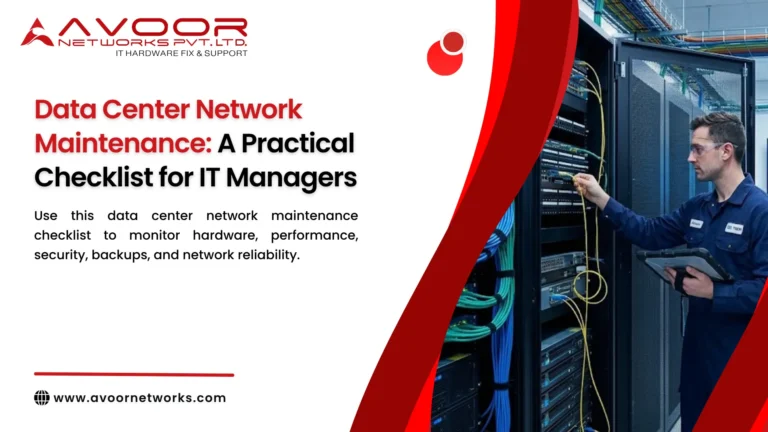
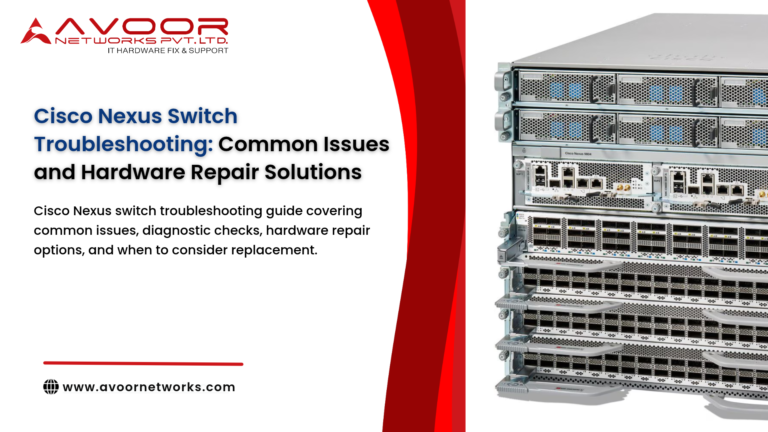
Data center network maintenance is essential for keeping servers, storage systems, applications, and business services connected reliably. Even a minor switch failure, damaged fibre connection, or incorrect network configuration can affect multiple systems and interrupt critical operations.
For IT managers, maintenance should go beyond checking whether network devices are powered on. It should include hardware health, network performance, configuration backups, security, redundancy, and recovery readiness.
A structured maintenance checklist helps teams identify warning signs early, plan maintenance windows, and reduce the risk of unexpected network downtime.
Why Data Center Network Maintenance Matters
A data center network supports communication between servers, storage devices, applications, and external users. As workloads increase and infrastructure becomes more complex, network teams must ensure that equipment remains operational, properly configured, and ready to handle traffic.
A consistent maintenance process can help IT managers:
- Detect hardware failures before they affect production services.
- Identify bandwidth bottlenecks and network congestion.
- Maintain reliable connectivity between network devices.
- data center network maintenance
- Reduce configuration errors during upgrades and changes.
- Improve troubleshooting and incident response.
- Prepare for equipment replacement and infrastructure expansion.
The following checklist is designed for IT managers, network administrators, and infrastructure teams responsible for enterprise data center networks.
1. Inspect Network Hardware and Physical Connections
Physical inspection should be part of routine data center network maintenance. Network switches, routers, firewalls, and optical interfaces can develop problems because of heat, dust, vibration, cable movement, or component ageing.
Hardware inspection checklist
- Check network switches, routers, and firewalls for hardware warning indicators.
- Verify that redundant power supplies are operational.
- Inspect cooling fans for unusual noise or failure indicators.
- data center network maintenance
- Check equipment temperatures against manufacturer operating limits.
- Inspect copper and fibre cables for damage or loose connections.
- Confirm that transceivers and interface modules are securely installed.
- Check rack mounting, cable management, and airflow clearance.
- Review device logs for hardware faults and environmental warnings.
IT manager’s recommendation: Maintain an asset register containing device model, serial number, rack location, installation date, support status, and maintenance history. This makes it easier to identify affected equipment during troubleshooting or replacement planning.
2. Monitor Network Performance and Interface Health
A network device may remain powered on while experiencing packet loss, congestion, interface errors, or intermittent connectivity. Monitoring performance trends helps teams identify problems before users report them.
Network performance checklist
- Review bandwidth utilisation on critical network interfaces.
- Check interface error counters, including CRC errors and input or output errors.
- Monitor packet drops and discards.
- Identify interfaces experiencing repeated link flaps.
- Verify that interfaces operate at the expected speed and duplex settings.
- Review latency and packet loss across important network paths.
- Check uplink utilisation between access, aggregation, and core switches.
- Monitor CPU and memory utilisation on network devices.
Do not rely on a single utilisation threshold for every interface. Establish baselines for each network segment and investigate sustained congestion, unusual traffic patterns, and deviations from normal operating behaviour.
For example, if a data center uplink regularly reaches its available capacity during backup operations, IT teams should investigate traffic scheduling, capacity requirements, and potential link upgrades.
3. Verify Network Redundancy and Failover
Redundancy is intended to maintain connectivity when a link, power supply, or network device fails. However, redundant components provide limited protection if their failover mechanisms have not been tested.
Redundancy checklist
- Confirm that redundant power supplies are connected to the intended independent power sources.
- Check the operational status of link aggregation groups.data center network maintenance.
- Verify that spanning tree or other loop-prevention mechanisms are functioning correctly.
- Review routing protocol neighbour status and route availability.
- Confirm that redundant uplinks are active or ready according to the network design.
- Review high-availability status for supported firewall and routing platforms.
- Verify that critical paths do not depend on an undocumented single point of failure.
- Conduct controlled failover tests during approved maintenance windows.
Failover testing should follow a documented procedure, with expected results, rollback steps, and service impact clearly defined. Avoid disconnecting production links or power sources without the necessary approvals.
4. Review Network Configuration and Firmware
Configuration errors can cause connectivity failures, routing problems, security exposure, and unexpected network behaviour. IT teams should maintain accurate configuration records and review changes regularly.
Configuration maintenance checklist
- Back up running and startup configurations.
- Confirm that configuration backups are readable and available.
- Compare device configurations against approved baselines.
- Review VLAN assignments and trunk configurations.
- Check routing policies, access control lists, and QoS settings.
- Verify management access permissions and authentication settings.
- Record changes made during maintenance activities.
- Review operating system and firmware versions.
Firmware upgrades should be based on compatibility, security requirements, vendor guidance, and the network’s operational needs. Before upgrading, confirm the supported upgrade path, configuration backup, rollback options, and maintenance window.
Where possible, test changes on a non-production device or representative environment before deploying them across critical infrastructure.
5. Check Network Security and Management Access
Network security maintenance should include the devices themselves, their management interfaces, and the traffic they control.
Security checklist
- Review administrative accounts and remove unnecessary access.
- Verify that management interfaces are restricted to authorised networks.
- Confirm that secure management protocols are used where supported.
- Review firewall policies and network access control rules.
- Check for unexpected configuration changes.
- Verify that network logs are collected and retained according to policy.
- Review alerts for repeated authentication failures.
- Check the lifecycle and security-update status of network operating systems.
If a network device is no longer receiving security updates, IT managers should assess the risk and plan an appropriate replacement, migration, or compensating control. Hardware repair alone does not restore discontinued software support or security updates.
6. Validate Backup, Recovery, and Documentation
Configuration backups are valuable only when they can be accessed and restored. Maintenance teams should ensure that recovery procedures are documented and periodically validated.
Recovery checklist
- Confirm that critical network device configurations are backed up after approved changes.
- Maintain protected copies of configuration backups.
- Verify that backup files correspond to the correct device and configuration version.
- Review recovery procedures for failed switches, routers, and firewalls.
- Maintain records of spare equipment and compatible replacement components.
- Document network topology, interface mappings, and IP addressing.
- Keep escalation contacts and vendor or service-provider details current.
- Review the last recovery or failover test and record any gaps.
IT managers should also ensure that network recovery plans account for dependencies such as software licences, configuration files, compatible transceivers, and required power components.
7. Establish a Practical Maintenance Schedule
Not every maintenance task needs to be performed daily. A risk-based schedule helps teams allocate time efficiently without introducing unnecessary changes to production systems.
| Frequency | Recommended maintenance activities |
|---|---|
| Daily | Review critical alerts, interface status, device health, and network performance |
| Weekly | Check error trends, capacity utilisation, configuration changes, and unresolved incidents |
| Monthly | Review firmware lifecycle, security settings, inventory, backups, and maintenance records |
| Quarterly | Conduct approved failover tests, recovery reviews, and capacity planning |
| Annually | Review network architecture, hardware lifecycle, maintenance contracts, and replacement plans |
The schedule should be adjusted based on network criticality, business requirements, device lifecycle, and the frequency of changes.
8. Use a Maintenance Log and Escalation Process
A maintenance checklist becomes more effective when every issue is recorded and assigned to a responsible person.
For each maintenance activity, document:
- Device name and asset identifier.
- Date and time of inspection.
- Maintenance task performed.
- Findings and warning indicators.
- Corrective action taken.
- Engineer or team responsible.
- Follow-up date and current status.
Classify issues according to their potential business impact. A redundant power supply failure may require prompt attention even if the device is still operating, while a minor cosmetic issue may be scheduled for a later inspection.
The maintenance log also helps IT managers identify recurring hardware failures, compare repair costs, and make informed decisions about equipment replacement.
When to Repair or Replace Data Center Network Hardware
Network hardware should not be replaced automatically whenever a fault occurs. The decision should consider the device’s condition, repair feasibility, operational criticality, and lifecycle status.
Repair may be appropriate when:
- The device is compatible with the existing network.
- The fault is isolated and repairable.
- Suitable replacement components are available.
- The equipment can be tested adequately after repair.
- The repaired device meets the organisation’s operational requirements.
Replacement or migration may be preferable when:
- Hardware failures occur repeatedly.
- Required spare parts are no longer available.
- The equipment cannot meet current performance requirements.
- Software support or security updates are no longer available.
- Repair costs and operational risks exceed the value of continued use.
For critical infrastructure, maintain a documented decision process that considers the cost of downtime as well as the cost of hardware.
How Avoor Networks Pvt Ltd Supports Data Center Network Maintenance
Avoor Networks Pvt Ltd provides enterprise network hardware repair and maintenance support for organisations managing network infrastructure across India.
Our services include:
- Enterprise switch, router, and firewall repair.
- Chip-level PCB and hardware fault diagnostics.
- Power supply and component-level repair.
- Multi-brand network equipment support.
- Preventive maintenance and AMC support.
- Spare parts and refurbished network equipment support, subject to model and availability.
For IT teams experiencing recurring hardware faults, we can help assess the affected equipment and determine whether repair or replacement is a practical option. Service feasibility depends on the device model, fault condition, parts availability, and testing requirements.
Conclusion
Data center network maintenance is an ongoing operational responsibility, not a one-time inspection. IT managers should combine hardware checks, performance monitoring, redundancy validation, configuration management, security reviews, and recovery planning into a consistent maintenance programme.
Using a documented checklist helps network teams identify problems earlier, manage maintenance activities, and improve the reliability of enterprise infrastructure.
A well-maintained network also gives organisations a clearer understanding of equipment health, lifecycle risks, and future capacity requirements.