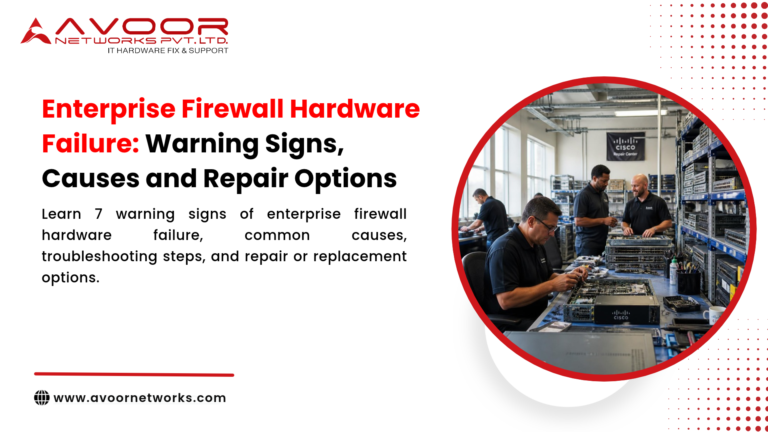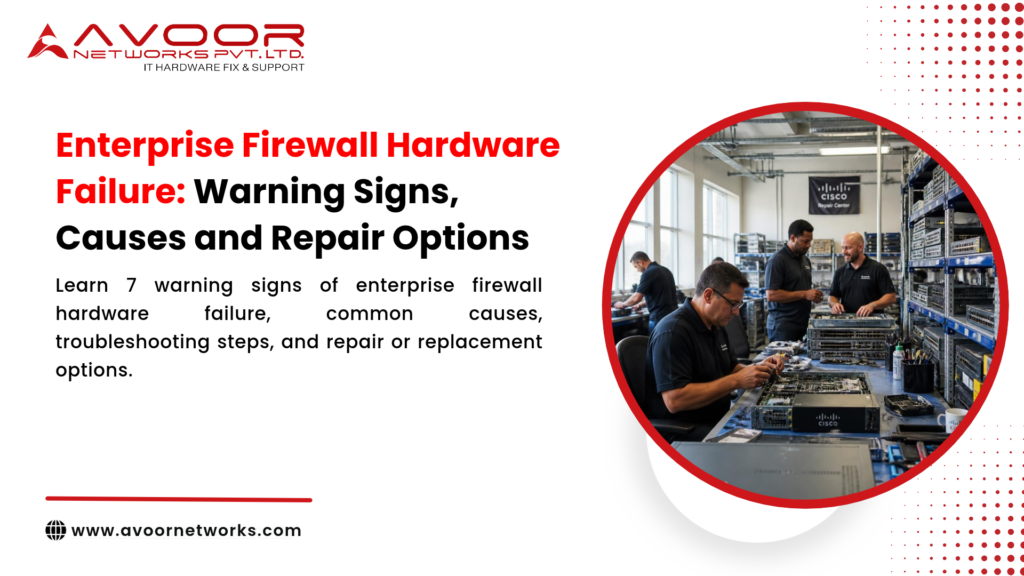
Enterprise firewall hardware failure can interrupt network connectivity, weaken security operations, and affect business-critical applications. Recognizing early warning signs helps IT teams investigate problems before a hardware fault develops into an extended outage.
Firewalls operate at the boundary between trusted and untrusted networks, and often perform functions such as traffic inspection, VPN connectivity, and threat prevention. When the physical appliance becomes unstable, the impact may extend beyond a single device. This guide explains common warning signs, likely causes, troubleshooting steps, and repair options for enterprise firewall hardware.
Why Firewall Hardware Reliability Matters
A firewall is a critical part of an organization’s network infrastructure. Depending on its role and configuration, a failure may affect internet access, site-to-site connectivity, remote users, segmentation, or access to internal applications.
Hardware issues can also complicate incident response. For example, an appliance that repeatedly reboots or loses interfaces may make it difficult to distinguish a physical fault from a configuration or software problem.
A structured diagnosis is important because not every firewall outage is caused by hardware. Configuration changes, software defects, power problems, cabling, and upstream network issues can produce similar symptoms.
Warning Signs of Enterprise Firewall Hardware Failure
1. Unexpected Reboots or Boot Failures
Repeated restarts, failure to complete startup, or a device stuck during boot may indicate problems with the power supply, internal storage, memory, or system board.
Review system logs and the timing of the restarts. If the appliance fails before its operating system fully loads, hardware diagnostics and vendor-recommended recovery procedures may be necessary.enterprise firewall hardware failure.
2. Overheating and Fan Alerts
High internal temperatures, fan alarms, or thermal shutdowns can result from blocked airflow, failed fans, dust buildup, or an unsuitable equipment-room environment.
Check that vents are unobstructed and that the appliance has adequate clearance. Do not continue operating a device that repeatedly shuts down due to temperature warnings without investigating the cause.
3. Interface or Port Instability
Ports that repeatedly drop, fail to establish a link, or show abnormal errors may point to a damaged interface, transceiver, cable, or connected switch port.
Before concluding that the firewall is faulty, test with known-good cables and compatible transceivers where appropriate. Compare interface counters and test the connection through another port if the network design permits.
4. Power Supply Problems
A failed or unstable power supply may cause unexpected shutdowns, boot loops, or intermittent operation. Appliances with redundant power supplies may continue running after one supply fails, but the redundancy should not be treated as a permanent fix.
Check power indicators, event logs, and the health status of each supply. Follow the manufacturer’s procedures before removing or replacing a module.enterprise firewall hardware failure.
5. Unusual Performance or Hardware Health Alerts
A sudden increase in packet drops, resource-related alarms, or hardware health warnings may be associated with a failing component. However, these symptoms can also arise from traffic growth, policy changes, software issues, or resource exhaustion.
Correlate the alert with CPU and memory utilization, session counts, interface errors, temperature, and recent configuration changes.
6. Physical Damage or Component Deterioration
Visible damage, corrosion, liquid exposure, burnt components, or damaged connectors should be treated as serious warning signs. Avoid repeatedly powering on an appliance with suspected electrical or liquid damage.
Common Causes of Firewall Hardware Failure
Firewall hardware problems can develop for several reasons:
- Power fluctuations: Unstable input power or failing power components can affect system stability.
- Cooling problems: Fan failure, blocked airflow, and high ambient temperatures can contribute to overheating.
- Component aging: Long service life and continuous operation can increase the likelihood of component deterioration.
- Environmental conditions: Dust, moisture, vibration, and poor rack conditions can affect hardware reliability.
- Physical handling: Improper installation, movement, or connector handling may damage ports or boards.
- Electrical or component faults: Failures in the power circuitry, memory, storage, or printed circuit board (PCB) may prevent normal operation.
The specific cause depends on the appliance model, operating environment, fault history, and diagnostic results.
Troubleshooting Before Arranging a Repair
A disciplined initial assessment can help identify whether the problem is related to hardware, software, or the surrounding network.
- Record the symptoms. Note the time of failure, alarms, reboot frequency, affected interfaces, and business services impacted.
- Check recent changes. Review firmware updates, configuration changes, power work, cabling changes, and network maintenance.
- Review logs and health status. Use the appliance’s supported diagnostic tools to inspect system events, temperature, fan status, power supplies, and interface counters.
- Inspect power and cooling. Verify the power source, redundant supply status, rack airflow, and environmental conditions.enterprise firewall hardware failure.
- Check connected equipment. Test cables, transceivers, and adjacent switch ports where safe and practical.
- Protect the configuration. Preserve a current configuration backup and relevant logs, following organizational security procedures.enterprise firewall hardware failure.
- Plan any failover or maintenance. If a redundant firewall is available, confirm its health and the organization’s approved failover procedure before taking a device offline.
Avoid repeated power cycling, unapproved firmware changes, or opening the appliance while it is under warranty or subject to service restrictions. These actions may complicate diagnosis or increase the risk of damage.
Enterprise Firewall Repair Options
The right repair option depends on the fault, appliance condition, model, parts availability, support status, and business requirements.
Power Supply or Fan Replacement
Where diagnostics identify a failed replaceable power supply or cooling module, replacing that component may restore normal operation. Confirm compatibility and follow the appliance’s service procedures.
Interface or Port-Level Repair
Port instability may require testing of cables and transceivers first. If the fault is confirmed within the appliance, repair may involve a replaceable interface module or board-level service, depending on the model.
PCB and Component-Level Repair
Some faults originate in the firewall’s power circuitry or other PCB components. A qualified repair provider may assess whether component-level repair is technically appropriate, rather than replacing the entire appliance.
The feasibility of chip-level or board-level repair varies by device design, fault severity, parts availability, and diagnostic findings.
Hardware Replacement
Replacement may be the practical option when the appliance has extensive damage, critical parts are unavailable, repair is uneconomical, or the device no longer meets operational requirements.
Before replacing a firewall, verify configuration migration requirements, software compatibility, licensing, support coverage, and the planned transition process.
Repair or Replacement for End-of-Life Devices
An end-of-life firewall may still be physically repairable, but hardware repair does not restore OEM software updates, security patches, or vendor support. IT teams should assess operational risk and plan migration where continued use is no longer appropriate.
How Preventive Maintenance Helps
Preventive maintenance can help identify developing faults and reduce avoidable interruptions. Consider including the following in a maintenance schedule:
- Check fan, temperature, and power-supply health.
- Keep rack airflow and equipment-room conditions within recommended limits.
- Review system logs and recurring hardware alerts.
- Inspect cables, connectors, and interface error counters.
- Maintain configuration backups and documented recovery procedures.
- Test high-availability and failover arrangements according to an approved plan.
- Track appliance age, support status, spare availability, and replacement planning.
Maintenance should be performed in accordance with the manufacturer’s guidance and the organization’s change-control procedures.
Choosing a Firewall Repair Service Provider
When evaluating a repair provider, ask about its experience with enterprise firewall hardware, diagnostic process, supported brands and models, parts sourcing, data-handling procedures, and repair reporting.
A reliable service process should explain the suspected fault, recommended action, limitations, and any testing performed after repair. For security-sensitive equipment, agree on configuration access, data protection, and chain-of-custody requirements before sending the appliance for service.
Avoor Networks Pvt Ltd provides multi-brand enterprise network hardware repair and maintenance services, including firewall hardware assessment, component-level repair where feasible, spare-parts support, and AMC/CAMC services. The company supports enterprise IT teams with PAN-India pickup and delivery. Service feasibility depends on the firewall model, fault, and availability of compatible parts.
Conclusion
Enterprise firewall hardware failure can appear as reboots, overheating, unstable interfaces, power alarms, or hardware health warnings. These symptoms should be investigated carefully because software, configuration, and network issues can look similar.
Start with logs, environmental checks, and safe isolation steps. Then select a repair or replacement option based on the confirmed fault, support status, parts availability, and business risk. Regular maintenance and documented failover procedures can help IT teams respond more effectively when a firewall becomes unstable.