Legacy Network Equipment Repair can be a practical and cost-effective solution for businesses that depend on older routers, switches, firewalls, servers, and other enterprise hardware.
Many organizations continue using legacy network equipment because replacing an entire infrastructure can be expensive, disruptive, and time-consuming. A device may be considered old by the manufacturer but still provide adequate performance for a particular business environment.
However, maintaining legacy hardware comes with challenges. Original equipment manufacturer support may have ended, replacement parts may be difficult to source, and specialized technical expertise may be required when a device develops a hardware fault.
Professional Legacy Network Equipment Repair can help businesses extend the useful life of suitable equipment while planning a controlled transition to newer technology.
At Avoor Networks Pvt. Ltd., we have more than 26 years of experience in enterprise network hardware repair, chip-level diagnostics, EOL hardware support, preventive maintenance, AMC/CAMC services, refurbished networking equipment, and PAN India repair support.
This guide explains when legacy equipment repair makes sense, its benefits and limitations, and how businesses can create a practical hardware lifecycle strategy.
Table of Contents
- What Is Legacy Network Equipment?
- Why Businesses Still Use Legacy Hardware
- What Is Legacy Network Equipment Repair?
- 10 Benefits of Repairing Legacy Network Equipment
- Common Legacy Equipment Failures
- Chip-Level Repair for Legacy Hardware
- EOL vs EOS: What IT Managers Should Know
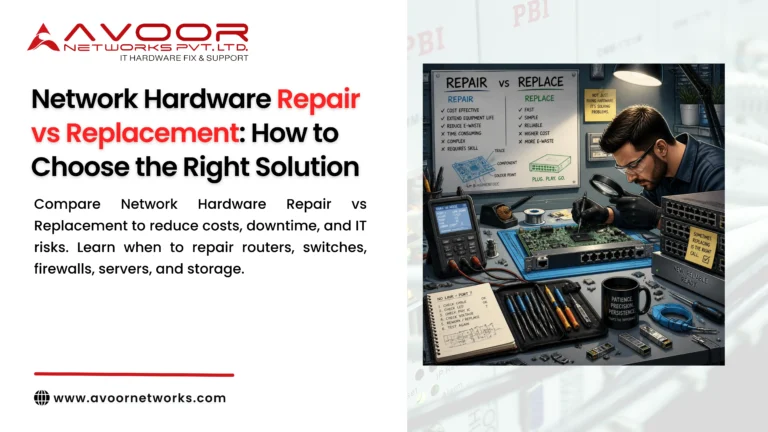
- Repair or Replace Legacy Equipment?
- How to Build a Legacy Hardware Maintenance Strategy
- Preventive Maintenance for Older Equipment
- AMC and CAMC for Legacy Hardware
- Legacy Equipment We Can Support
- Why Choose Avoor Networks?
- Frequently Asked Questions
- Conclusion
What Is Legacy Network Equipment?
Legacy network equipment refers to older IT and networking hardware that remains operational but may no longer represent the manufacturer’s latest technology.
Examples include:
- Older enterprise routers
- Legacy network switches
- Older firewalls
- Wireless controllers
- Network modules
- Servers
- Storage systems
- SAN equipment
- Power supplies
- Interface modules
A device can be considered legacy for several reasons, including age, discontinued sales, limited manufacturer support, or the availability of newer replacement platforms.
Legacy does not automatically mean unusable.
If equipment continues to meet business requirements and can be maintained reliably, an organization may choose to keep it operational while preparing a longer-term migration plan.
Why Businesses Still Use Legacy Network Hardware
Replacing enterprise infrastructure is rarely as simple as buying a new device.
Businesses may continue using older equipment because:
High Replacement Costs
A large network infrastructure can contain hundreds of devices. Replacing everything at once may require a significant capital investment.
Migration Complexity
Moving from an established platform to a new architecture can require:
- Network redesign
- Configuration changes
- Testing
- Downtime planning
- Staff training
- Application compatibility testing
Existing Equipment Still Meets Requirements
Some organizations do not require the latest features if their current hardware continues to provide sufficient performance.
Long Replacement Lead Times
Certain enterprise devices and components may have procurement or deployment lead times.
Legacy Application Dependencies
Some specialized applications may depend on existing network architectures or hardware.
For these reasons, Legacy Network Equipment Repair can provide a useful bridge between the current infrastructure and future modernization.
What Is Legacy Network Equipment Repair?
Legacy Network Equipment Repair involves diagnosing, repairing, testing, and restoring older enterprise hardware.
Professional repair may include:
- PCB diagnostics
- Chip-level repair
- Power supply repair
- Motherboard repair
- Network port repair
- SFP/SFP+ interface repair
- Fan replacement
- Cooling system maintenance
- Controller repair
- Component replacement
- Hardware testing
The goal is not simply to make old equipment work again.
The goal is to determine whether the equipment can continue operating reliably, safely, and economically for the organization’s needs.
10 Benefits of Legacy Network Equipment Repair
1. Lower Replacement Costs
One of the biggest advantages of repairing suitable legacy equipment is cost control.
Instead of replacing a complete router, switch, or firewall, a repair provider may identify a specific failed component.
If that component can be repaired or replaced economically, the organization can avoid an unnecessary complete-device purchase.
2. Extend Equipment Lifespan
Professional repair can extend the operational life of suitable hardware.
This gives businesses more time to:
- Plan upgrades
- Allocate budgets
- Test replacement platforms
- Migrate applications
- Build redundancy
Instead of rushing into a replacement project after a sudden failure, IT teams can plan modernization strategically.
3. Reduce Downtime
Legacy equipment failures can create serious operational problems when replacement hardware is unavailable.
Professional repair can restore equipment without waiting for an entirely new platform to be sourced and deployed.
This is especially valuable for:
- Data centers
- Branch networks
- Manufacturing environments
- Enterprise offices
- Specialized infrastructure
4. Support End-of-Life Equipment
Manufacturer support may eventually end for older products.
Third-party repair services can sometimes provide hardware diagnostics and repair support even when OEM options are limited.
However, organizations should separately evaluate software support, security updates, compliance requirements, and business risk.
5. Reduce Electronic Waste
Repairing suitable hardware can keep electronic equipment in service longer.
This can reduce unnecessary hardware disposal and contribute to a more sustainable IT lifecycle.
6. Preserve Existing Configurations
Replacing a device can require configuration migration and testing.
Repairing the existing hardware may allow organizations to maintain the current platform and configuration.
This can be particularly useful when the infrastructure is stable and well understood.
7. Avoid Unnecessary Infrastructure Changes
A hardware replacement can affect connected systems.
For example, replacing a core network switch may require changes to:
- VLAN configurations
- Routing
- Uplinks
- Security policies
- Monitoring
- Network management
- Redundancy
If the existing device is still appropriate, repair can avoid unnecessary architectural changes.
8. Maintain Critical Spares
Businesses can also use refurbished or professionally repaired legacy equipment as backup hardware.
A tested spare can provide an additional layer of protection if a primary device fails.
This can be particularly useful when new replacement equipment has long procurement lead times.
9. Improve IT Budget Flexibility
Repairing suitable equipment can allow IT departments to distribute replacement costs over time.
Instead of replacing everything immediately, organizations can prioritize:
- Critical infrastructure
- Unsupported security devices
- Frequently failing equipment
- Performance-limited hardware
- Lower-risk legacy equipment
This creates a more controlled modernization strategy.
10. Enable Planned Technology Migration
Perhaps the most important benefit is time.
Legacy Network Equipment Repair can provide organizations with additional time to design and execute a proper upgrade.
Instead of replacing equipment during an emergency, IT teams can:
- Evaluate vendors
- Compare architectures
- Prepare budgets
- Test new equipment
- Train employees
- Schedule migration windows
Common Legacy Network Equipment Failures
Older equipment can experience many of the same failures as modern hardware.
Power Supply Failures
Symptoms include:
- Device not powering on
- Unexpected shutdowns
- Power alarms
- Repeated resets
Cooling Fan Failures
Aging fans may become noisy, slow, or stop functioning.
Network Port Failures
Ethernet, SFP, SFP+, and other interfaces can develop faults.
Motherboard Problems
Electronic components can degrade after years of operation.
Boot Failures
Devices may fail to start because of hardware, storage, memory, or firmware-related issues.
Intermittent Operation
A device may work normally for hours and then unexpectedly restart or lose connectivity.
Intermittent faults are particularly important because they can become progressively worse.
Chip-Level Repair for Legacy Network Equipment
One of the most specialized areas of Legacy Network Equipment Repair is chip-level repair.
Instead of replacing an entire PCB or motherboard, engineers diagnose the board to identify individual faulty components.
Potentially repairable components may include:
- Power ICs
- Voltage regulators
- MOSFETs
- Capacitors
- Resistors
- Memory components
- Controller ICs
- Interface circuits
- Connectors
Chip-level repair can be particularly valuable when:
- Replacement boards are unavailable
- Original equipment is expensive
- The device remains suitable for business use
- A specific component has failed
- Replacement equipment has long lead times
However, chip-level repair should only be performed after proper diagnosis and should include comprehensive functional testing.
EOL vs EOS: What IT Managers Should Know
Two important terms frequently appear when discussing legacy equipment.
End of Life — EOL
EOL generally indicates that a manufacturer has announced the product is reaching or has reached the end of its commercial lifecycle.
End of Support — EOS
EOS generally refers to the end of official manufacturer support or maintenance for a product.
These dates can have important implications for:
- Security updates
- Software support
- Replacement parts
- Technical assistance
- Compliance
- Business continuity
A device being EOL does not automatically mean it must be removed immediately.
But IT Managers should evaluate the risks carefully.
Should You Repair or Replace Legacy Network Equipment?
This is one of the most important questions for IT Managers.
Consider Repair When:
- The hardware still meets performance requirements.
- The equipment is stable apart from an isolated fault.
- Repair costs are significantly below replacement costs.
- Replacement hardware is difficult to obtain.
- The organization has compatible spare equipment.
- The device is part of a stable legacy environment.
- A migration project is already planned for the future.
Consider Replacement When:
- Security support has ended and creates unacceptable risk.
- Hardware failures are becoming frequent.
- Replacement parts are unavailable.
- Performance is insufficient.
- The repair cost approaches replacement cost.
- The device is a critical single point of failure.
- Modern replacement equipment provides substantial operational benefits.
The decision should consider both financial and operational factors.
How to Build a Legacy Hardware Maintenance Strategy
A structured strategy is much better than reacting to failures.
Step 1: Create an Asset Inventory
Record:
- Manufacturer
- Model
- Serial number
- Location
- Age
- Firmware version
- EOL status
- EOS status
- Business function
- Repair history
Step 2: Classify Business Criticality
Classify equipment as:
- Critical
- High
- Medium
- Low
Critical devices should have stronger redundancy and spare coverage.
Step 3: Identify Common Failure Patterns
Review repair history to identify recurring problems.
If several devices from the same platform experience similar failures, consider proactive maintenance or replacement.
Step 4: Maintain Spare Equipment
Maintain tested spare devices and components for critical infrastructure.
Step 5: Create a Replacement Roadmap
Legacy repair should support a long-term modernization plan—not replace one indefinitely.
Preventive Maintenance for Older Network Equipment
Older hardware generally benefits from closer monitoring.
IT teams should regularly inspect:
- Cooling fans
- Power supplies
- Temperature
- Network interfaces
- Hardware alarms
- Physical condition
- Rack airflow
- Dust accumulation
- Cable connections
Configuration backups should also be maintained regularly.
A Network Hardware Maintenance Checklist can help standardize these activities across locations.
AMC and CAMC for Legacy Equipment
Annual Maintenance Contracts can be particularly useful for organizations operating large quantities of older equipment.
Depending on the agreement, AMC services can include:
- Preventive maintenance
- Hardware diagnostics
- Scheduled inspections
- Repair coordination
- Technical support
Comprehensive AMC arrangements may include broader coverage according to contractual terms.
For organizations with large legacy infrastructure, maintenance contracts can create a predictable support process.
Legacy Equipment Supported by Avoor Networks
Avoor Networks Pvt. Ltd. provides repair and maintenance services for many types of legacy enterprise equipment, including:
- Cisco routers
- Cisco switches
- Juniper routers
- Juniper switches
- HPE networking equipment
- Enterprise firewalls
- Servers
- Storage systems
- SAN equipment
- Network modules
- Power supplies
- Wireless controllers
Support depends on the specific model, hardware condition, fault type, component availability, and technical feasibility.
Why Choose Avoor Networks Pvt. Ltd.?
With more than 26 years of experience, Avoor Networks Pvt. Ltd. specializes in enterprise hardware repair and maintenance.
Our services include:
- Legacy Network Equipment Repair
- Enterprise Network Hardware Repair
- Cisco Router and Switch Repair
- Juniper Equipment Repair
- HPE Network Equipment Repair
- Firewall Hardware Repair
- Server Repair
- Storage Repair
- Chip-Level Repair
- EOL Hardware Support
- Refurbished Networking Equipment
- Preventive Maintenance
- AMC Services
- CAMC Services
- Multi-Brand Hardware Repair
- PAN India Pickup and Delivery
Our technical approach focuses on identifying the actual fault and determining whether repair, refurbishment, or replacement provides the best business outcome.
Conclusion
Legacy Network Equipment Repair can be an effective strategy for businesses that need to control IT costs while maintaining stable enterprise infrastructure.
Older equipment should not automatically be considered unusable. If a router, switch, firewall, server, or storage system continues to meet business requirements, professional repair may provide a cost-effective way to extend its useful life.
At the same time, repair should be part of a broader lifecycle strategy. IT Managers should consider security support, EOL/EOS status, hardware reliability, spare availability, performance, compliance requirements, and long-term replacement plans.
With more than 26 years of experience, Avoor Networks Pvt. Ltd. provides professional legacy and enterprise network hardware repair, chip-level diagnostics, EOL support, preventive maintenance, AMC/CAMC services, refurbished equipment, and PAN India service support.
Need Legacy Network Equipment Repair?
Before replacing an expensive legacy router, switch, firewall, server, or storage system, get the hardware professionally diagnosed.
Contact Avoor Networks Pvt. Ltd. for Legacy Network Equipment Repair, chip-level diagnostics, EOL hardware support, preventive maintenance, and enterprise network equipment repair across India.