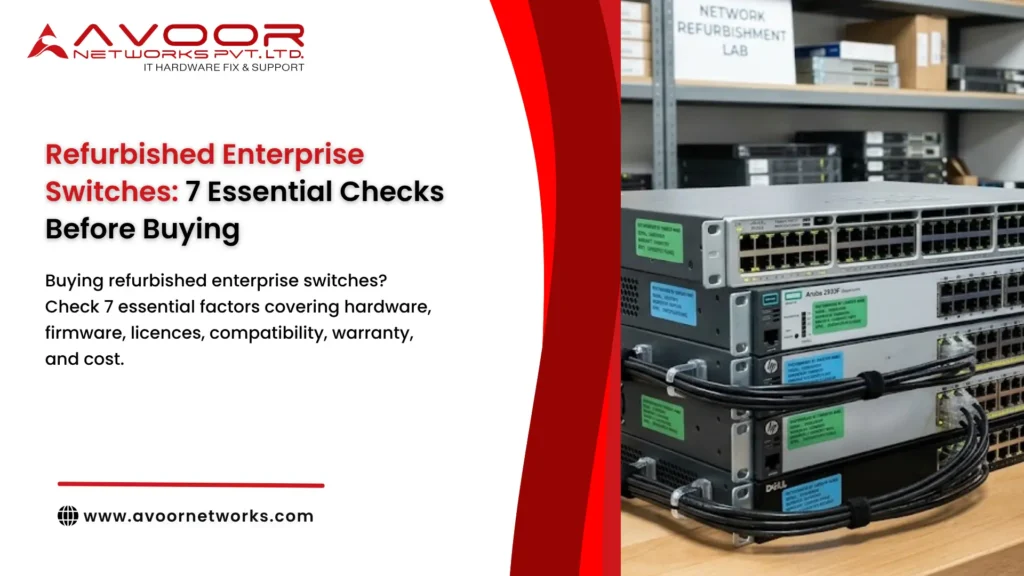
Why Buying Refurbished Enterprise Switches Requires Careful Evaluation
Enterprise switches are essential for connecting servers, workstations, wireless access points, IP phones, and other network devices. A faulty or incompatible switch can cause connectivity problems, performance bottlenecks, or unexpected network downtime.
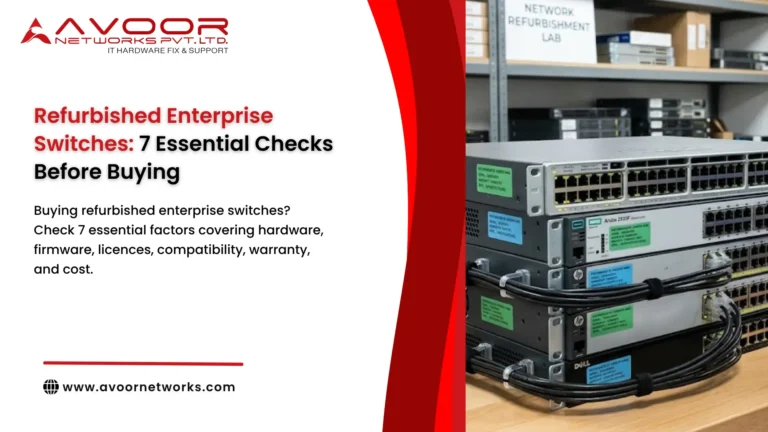
Refurbished enterprise switches are often suitable for branch offices, laboratory environments, network expansion, and organisations maintaining existing hardware platforms. However, buyers should verify the equipment’s condition and capabilities before placing an order.
Here are seven essential checks to make before buying refurbished enterprise switches.
1. Verify the Switch Model and Network Specifications
Start by confirming whether the switch meets your network requirements. Enterprise switches differ significantly in port density, throughput, uplink capabilities, and supported refurbished enterprise switches network features.
Check the following specifications:
- Port count: Confirm the number of required Ethernet ports, including spare capacity for future expansion.
- Port speed: Determine whether you need 1GbE, 10GbE, 25GbE, 40GbE, or 100GbE connectivity.
- Uplink ports: Verify the availability of SFP, SFP+, SFP28, QSFP+, or QSFP28 interfaces, as applicable.
- Layer 2 and Layer 3 capabilities: Confirm support for VLANs, routing protocols, link aggregation, and other required features.
- Power over Ethernet: Check whether the switch supports PoE, PoE+, or higher-power PoE standards for connected devices.
A switch that meets your port requirements but lacks the necessary uplink speed or routing capabilities may create problems during deployment.
2. Inspect the Physical Condition and Internal Components
Refurbished switches may have been removed from data centers, offices, or other operational environments. Their physical condition can provide useful information about how they were handled and maintained.
Before accepting the equipment, inspect:
- Ethernet ports for bent pins, damaged connectors, or loose port assemblies.
- The chassis for dents, corrosion, or signs of liquid damage.
- Cooling fans for unusual noise, vibration, or inconsistent operation.
- Power supplies for physical damage and compatibility with the switch.
- Expansion modules and removable components for secure installation.
Physical inspection alone cannot confirm that a switch is fully functional. Ask the supplier whether the device has undergone internal inspection and operational testing.
3. Confirm Hardware Testing and Functional Performance
A refurbished enterprise switch should be tested before delivery, rather than simply cleaned and resold.
Ask the supplier for information about the testing process. A comprehensive evaluation may include:
Power-on testing: Confirm that the switch starts normally and does not show persistent hardware errors.
Port testing: Verify that Ethernet ports establish connections and transmit and receive traffic at their supported speeds.
Uplink testing: Check optical or copper uplink interfaces with compatible transceivers and cables.
Cooling and temperature testing: Ensure that fans operate correctly and that the device does not show abnormal overheating during operation.
PoE testing: For PoE switches, verify power delivery and the available total power budget.
If possible, request a test report, serial number, or written confirmation of the tested functions. For critical infrastructure, conduct an additional acceptance test before moving the switch into production.
4. Check Firmware, Software Licences, and Feature Availability
Software compatibility is one of the most important considerations when buying refurbished enterprise switches.
Some enterprise platforms provide advanced functions through software licences or subscriptions. Depending on the manufacturer and model, these may include advanced routing, management, automation, or other specialised capabilities.
Before purchasing, confirm:
- Which operating system and firmware version are installed.
- Whether the required software image is compatible with the switch model.
- Whether the necessary feature licences are included or transferable.
- Whether your organisation can obtain future software updates.
- Whether the device is eligible for the support arrangements you require.
Do not assume that a licence or software entitlement belonging to the previous owner automatically transfers with the hardware.
Also check the manufacturer’s lifecycle information. A discontinued switch may still perform its intended function, but limited software updates or support options could increase security and operational risks.
5. Verify Compatibility With Your Existing Network
A refurbished switch should integrate with your existing network infrastructure without introducing unnecessary configuration or compatibility problems.
Review compatibility with:
- Existing routers, firewalls, and core switches.
- VLAN configurations and required routing protocols.
- Network management and monitoring platforms.
- Fibre or copper transceivers and their supported specifications.
- Stacking systems, power supplies, and expansion modules.
For example, when expanding an existing Cisco switching environment, confirm that the selected model supports the required software features and can operate with your current network design.
If you are purchasing refurbished equipment to replace a failed switch, matching the original model or a technically compatible replacement can simplify configuration and reduce deployment effort.
6. Check Warranty, Returns, and Technical Support
Warranty and support terms can significantly influence the value of refurbished enterprise switches.
Before ordering, obtain written clarification about:
- The warranty duration and what it covers.
- Whether replacement or repair is provided for hardware failures.
- The procedure for reporting faults after delivery.
- Return or replacement conditions for damaged or defective equipment.
- Availability of technical assistance during installation or troubleshooting.
A warranty offered by a refurbisher is not necessarily equivalent to manufacturer support. If your network requires vendor-backed support, confirm eligibility directly with the relevant manufacturer or support provider.
For business-critical switches, consider the potential impact of a hardware failure and whether keeping a compatible spare device is necessary.
7. Compare the Total Cost of Ownership Before Buying
The purchase price is only one part of the total cost of refurbished enterprise switches.
Consider the additional expenses that may be required:
| Cost factor | What to verify |
|---|---|
| Transceivers | Whether compatible optical or copper modules are included |
| Power supplies | Whether the required number and capacity are supplied |
| Accessories | Rack mounts, stacking cables, and other required components |
| Software | Licence costs and access to required firmware |
| Installation | Configuration, testing, and deployment expenses |
| Maintenance | Spare parts, repair costs, and support arrangements |
Compare the complete cost of a refurbished switch with a new or alternative model offering similar specifications.
A refurbished switch may provide good value when it meets your requirements, is properly tested, and has a clear support plan. However, a low-cost device with unavailable licences, incompatible accessories, or limited repair options may become more expensive over its operational life.
How Avoor Networks Pvt Ltd Supports Refurbished Enterprise Switch Requirements
Avoor Networks Pvt Ltd provides enterprise networking hardware repair and refurbished equipment support for businesses across India.
Our services include:
- Enterprise switch, router, and firewall repair.
- Chip-level hardware and PCB repair.
- Multi-brand network hardware support.
- Spare parts support for selected enterprise platforms.
- Refurbished networking equipment supply, subject to model and availability.
- Network hardware maintenance and AMC support.
For organisations purchasing refurbished switches, our team can help evaluate hardware requirements, identify compatible equipment, and address repair or maintenance needs. Equipment selection and service feasibility depend on the specific model, configuration, and parts availability.
Conclusion
Refurbished enterprise switches can be a practical option for network expansion, replacement projects, and maintaining existing infrastructure. The key is to evaluate the complete equipment package rather than focusing only on its price.
Before buying, verify the model specifications, physical condition, testing results, software entitlements, network compatibility, warranty terms, and total ownership costs.
A careful evaluation helps IT teams select suitable equipment, reduce avoidable compatibility problems, and plan for reliable network operations.