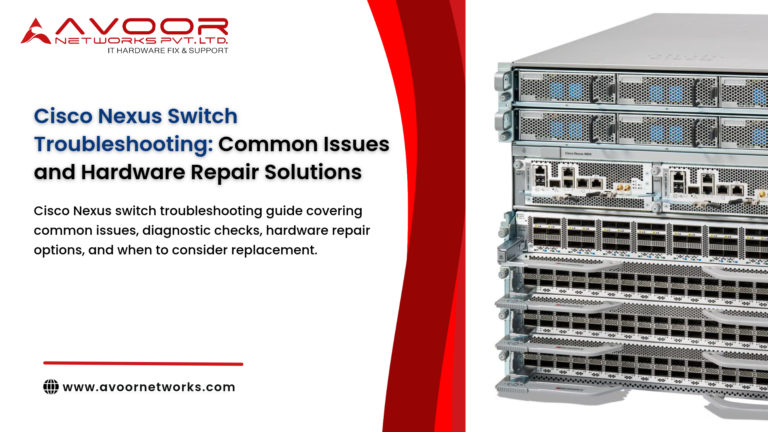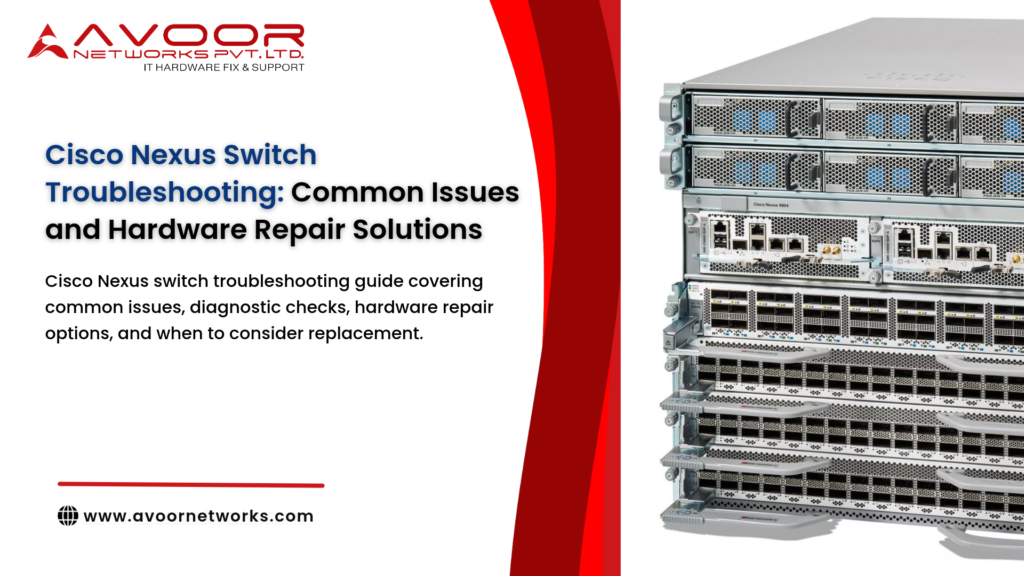
Cisco Nexus switches are widely used in enterprise networks and data centers to connect servers, storage, and network infrastructure. When a Nexus switch develops a fault, the impact may include loss of connectivity, degraded application performance, or disruption to critical workloads.
Cisco Nexus switch troubleshooting should begin by identifying whether the problem is caused by configuration, software, optics, cabling, environment, or physical hardware. This guide covers common symptoms, practical checks, and hardware repair options for IT teams and data center administrators.
1. Nexus Switch Not Powering On
A switch that does not start may have a power supply issue, an input power problem, or an internal hardware fault.
What to check
- Confirm the power cable is connected securely and the power source is working.
- Check the power supply indicators and any available hardware status information.
- If the model supports redundant power supplies, check whether each supply is recognized and healthy.
- Inspect for unusual smells, visible damage, or signs of overheating. If these are present, stop using the device and arrange a qualified inspection.Cisco Nexus switch troubleshooting
- Cisco Nexus switch troubleshooting
If the switch remains unresponsive after safe power checks, the power supply or internal power circuitry may require diagnosis. Do not open or service the appliance while it is connected to power.
2. Switch Boot Failure or Repeated Restart
A Nexus switch that fails to complete startup or repeatedly restarts may have a software, storage, memory, power, or system-board issue.
Troubleshooting steps
- Record the boot messages and any error codes.
- Review recent software updates, configuration changes, or power events.
- Check available system health information and logs.
- Follow the appropriate Cisco recovery procedure for the exact model and software release.
Do not assume every boot failure is a hardware fault. If supported recovery procedures do not resolve the issue, hardware diagnostics may be needed to investigate storage, memory, or board-level problems.
3. Interface Down or Unstable Connectivity
Ports that remain down, flap repeatedly, or show increasing errors can affect server connectivity and data center traffic.
What to check
- Verify the cable and transceiver are compatible and properly seated.
- Check the connected device and its port configuration.
- Review interface status, error counters, and event logs.
- If safe and supported by the network design, test with a known-good cable, transceiver, or alternate port.
A faulty cable or optic can resemble a switch hardware problem. If the issue follows a particular physical port after external components are ruled out, the port or interface hardware may require further assessment.
4. High Temperature and Fan Alerts
Temperature alarms, fan failures, or thermal shutdowns may be caused by blocked airflow, a failed fan module, or unsuitable room conditions.
Recommended checks
- Confirm the rack has adequate airflow and clearance.
- Check that intake and exhaust vents are not obstructed.
- Review fan and temperature status.
- Verify that the equipment room meets the operating conditions specified for the model.
Persistent thermal alarms should be addressed promptly. Repeated overheating can cause instability and may damage components.
5. Power Supply or Fan Module Faults
A failed power supply or fan module may trigger alerts even when the switch continues operating through redundant components.
Troubleshooting steps
- Identify which module is reporting the fault.
- Check the power source and module indicators.
- Review hardware health messages.
- Confirm the correct replacement part for the exact switch model before arranging service.
Redundancy provides resilience, not a reason to ignore a failed component. Replace or repair faulty modules according to the manufacturer’s service instructions and approved maintenance process.
6. Unexpected Packet Drops or Performance Problems
Packet loss or reduced throughput may be caused by congestion, configuration, software, optics, cabling, or hardware.
Investigate in this order
- Check interface errors and packet-drop counters.
- Review traffic levels and congestion points.
- Confirm the issue is not limited to a particular cable, optic, or connected device.
- Compare symptoms with recent changes and system logs.
- Use supported diagnostic tools to determine whether a hardware component is reporting errors.
Performance symptoms alone do not prove that a switch needs repair. Correlate the evidence before replacing hardware.
7. Hardware Health Alerts and Component Errors
A Nexus switch may report a hardware-related warning even if it continues forwarding traffic. These alerts should be reviewed in context.
Capture the exact alert, affected component, time, and any related system events. Follow Cisco’s model-specific guidance and escalate recurring or critical hardware errors for qualified diagnosis.
Cisco Nexus Switch Hardware Repair Solutions
The appropriate repair depends on the switch model, the confirmed fault, parts availability, and the operational risk of continued use.
Replaceable module or component service
Where the model supports field-replaceable modules, a failed power supply or fan module may be replaced using approved procedures and compatible parts.
Interface or port-level assessment
If a port remains faulty after cables, optics, and connected equipment are ruled out, the interface hardware may require inspection. The available repair method depends on the switch design.Cisco Nexus switch troubleshooting
PCB and component-level diagnosis
Some faults may originate in the power circuitry or other components on the printed circuit board (PCB). A qualified repair provider can assess whether component-level repair is feasible or whether board replacement is more appropriate.
Hardware replacement
Replacement may be the better option when damage is extensive, compatible parts are unavailable, repair is uneconomical, or the switch no longer meets operational requirements.
End-of-life Nexus switches
Legacy hardware may be physically repairable, but repair does not restore OEM software updates, security patches, or vendor support. Consider the security and operational implications alongside repair cost and replacement planning.
Best Practices Before Sending a Nexus Switch for Repair
Cisco Nexus switch troubleshooting
Before arranging service:
- Record the exact model, serial number, and reported symptoms.
- Preserve relevant logs and diagnostic output.
- Back up the configuration using your organization’s approved security process.
- Document recent changes and any troubleshooting already performed.
- Confirm whether the device is part of a redundant or high-availability design.
- Agree on diagnostic scope, quotation approval, testing, and warranty terms with the service provider.
For security-sensitive equipment, clarify configuration access and data-handling requirements before dispatch.
Choosing a Cisco Nexus Switch Repair Provider
Select a provider that can explain its diagnostic process, supported models, repair limitations, parts sourcing, and post-repair testing. Ask for a written fault report and a clear quotation before authorizing work.
Avoor Networks Pvt Ltd provides multi-brand enterprise network hardware repair and maintenance services, including Cisco switch assessment, component-level repair where feasible, spare-parts support, and AMC/CAMC services. The company offers PAN-India pickup and delivery. Service feasibility depends on the exact Nexus model, fault, and availability of compatible parts.
Conclusion
Effective Cisco Nexus switch troubleshooting starts with evidence-based checks of power, boot behavior, interfaces, cooling, system logs, and connected equipment. Many symptoms can arise from software, configuration, optics, or cabling, so confirm the likely cause before treating the issue as a hardware failure.
When hardware repair is required, choose an option based on the confirmed fault, model-specific service requirements, parts availability, and business risk. Documented diagnostics and testing help IT teams make better repair-versus-replacement decisions and maintain reliable data center operations.Cisco Nexus switch troubleshooting