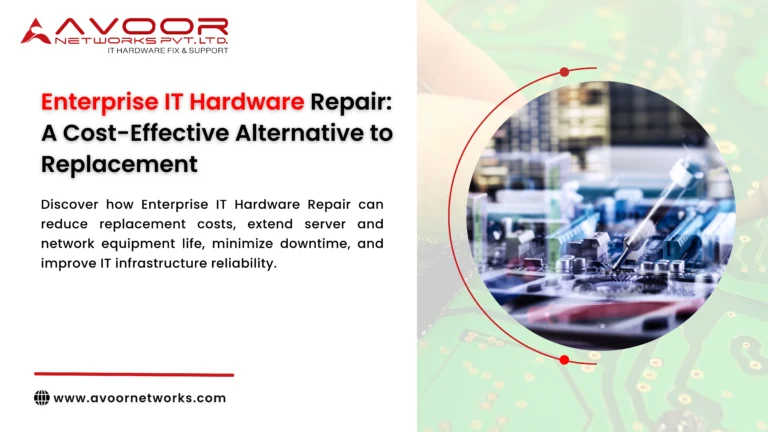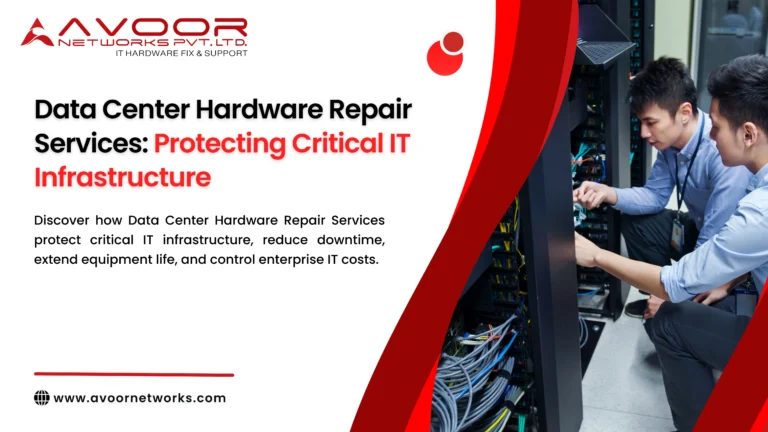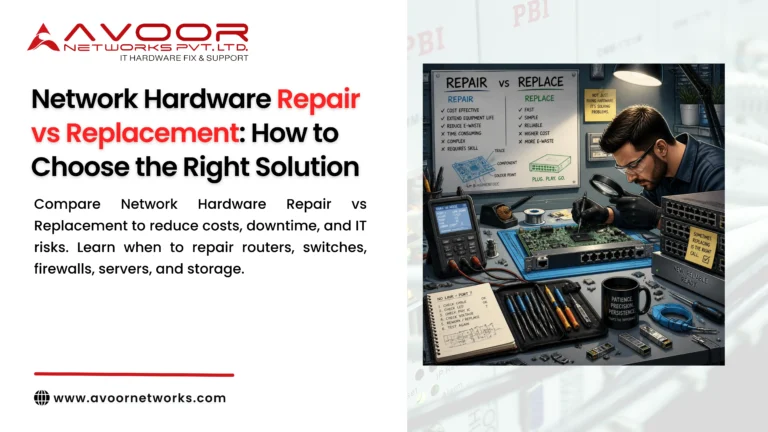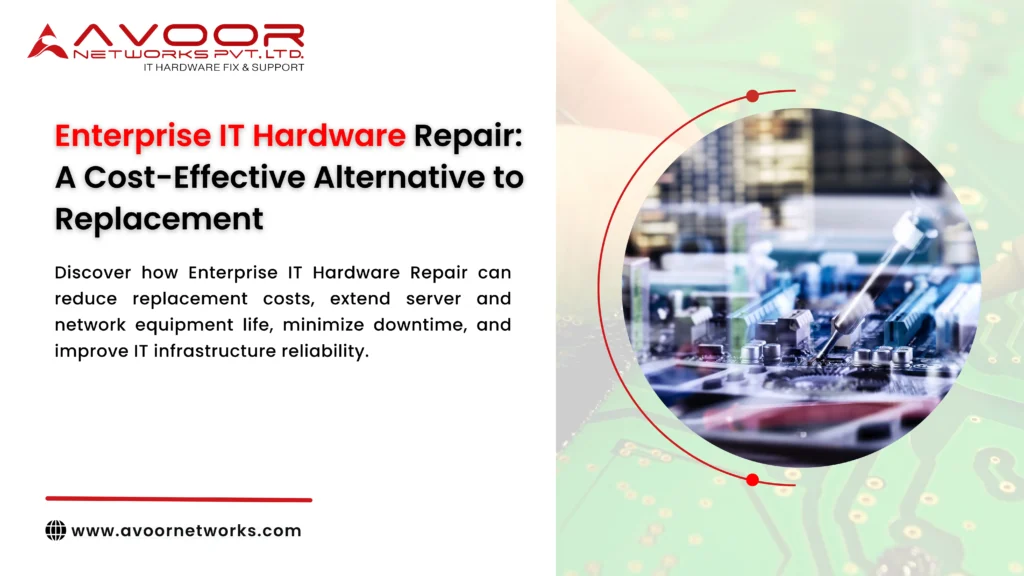
Enterprise IT Hardware Repair can be a practical and cost-effective alternative to replacing expensive IT infrastructure every time a hardware component fails.
Modern businesses depend on routers, switches, firewalls, servers, storage systems, network modules, and other enterprise equipment to keep their operations running. When one of these devices fails, the immediate response is often to purchase a replacement.
But replacement is not always the best solution.
In many cases, the equipment may still have significant useful life remaining. If the problem is isolated to a power supply, PCB component, network interface, controller, cooling system, or other repairable component, professional hardware repair may restore the device without the cost and disruption associated with a complete replacement.
For businesses managing large IT environments, the difference can be significant.
Professional Enterprise IT Hardware Repair can help organizations reduce capital expenditure, extend equipment lifespan, support legacy infrastructure, reduce electronic waste, and minimize downtime.
At Avoor Networks Pvt. Ltd., we bring more than 26 years of experience in enterprise hardware repair, chip-level diagnostics, network equipment repair, server and storage repair, EOL hardware support, AMC/CAMC services, refurbished equipment, and PAN India support.
Table of Contents
- What Is Enterprise IT Hardware Repair?
- Why Businesses Replace Hardware Too Quickly
- 9 Reasons to Choose Repair Over Replacement
- Which Enterprise Hardware Can Be Repaired?
- The Role of Chip-Level Repair
- Enterprise Hardware Repair vs Replacement
- Repairing EOL and Legacy IT Equipment
- How Professional Hardware Repair Works
- Preventive Maintenance and Hardware Lifecycle Management
- How to Reduce IT Hardware Costs
- Why Choose Avoor Networks?
- Frequently Asked Questions
- Conclusion
What Is Enterprise IT Hardware Repair?
Enterprise IT Hardware Repair involves diagnosing, repairing, testing, and restoring physical IT equipment used in business and data center environments.
Depending on the equipment and fault, professional repair may involve:
- Component-level diagnostics
- PCB repair
- Chip-level repair
- Power supply repair
- Network port repair
- Interface repair
- Controller repair
- Motherboard repair
- Fan and cooling component replacement
- Module replacement
- Functional testing
Enterprise repair is different from simply replacing a defective part.
A professional repair process should identify the actual root cause of the failure and verify that the repaired equipment is suitable for continued operation.
Why Businesses Replace Hardware Too Quickly
When a critical device stops working, replacement may appear to be the safest option.
However, immediate replacement can involve more than the price of a new device.
Businesses may also need to consider:
- Hardware purchase cost
- Licensing
- Configuration
- Installation
- Network migration
- Compatibility testing
- Staff time
- Downtime
- Logistics
- Disposal
- Training
For a complex enterprise environment, these additional costs can be substantial.
That is why IT Managers should evaluate repair vs replacement rather than automatically choosing replacement.
9 Powerful Reasons to Choose Enterprise IT Hardware Repair
1. Lower Hardware Replacement Costs
The most obvious advantage of Enterprise IT Hardware Repair is the potential to avoid purchasing an entirely new device.
If a switch has a failed power circuit but the rest of the hardware remains functional, replacing the entire switch may not be necessary.
Professional diagnosis can determine whether the affected component can be repaired or replaced.
This can be particularly valuable for expensive:
- Core switches
- Enterprise routers
- Firewalls
- Storage systems
- Server platforms
- Network modules
2. Extend the Useful Life of Existing Equipment
Enterprise hardware is often designed for continuous operation.
A device may still have years of useful service remaining even though one component has failed.
Professional repair can potentially extend its operational life.
This is particularly useful when:
- The equipment still meets performance requirements.
- The platform remains secure.
- Replacement costs are high.
- Compatible components are available.
- The organization is not ready for a technology migration.
Instead of replacing an entire system because of one failure, businesses can evaluate whether repair makes better economic sense.
3. Minimize Network and IT Downtime
Hardware replacement can take time.
Organizations may need to:
- Identify replacement hardware.
- Purchase or source the equipment.
- Configure it.
- Schedule installation.
- Migrate settings.
- Test connectivity.
- Decommission the old device.
A professional repair process may provide a faster route to restoring the existing equipment, particularly when repair capability and spare components are readily available.
For critical infrastructure, businesses can also maintain a compatible spare while the failed unit is being repaired.
This combination can help reduce operational downtime.
4. Avoid Unnecessary Configuration Migration
Replacing hardware can introduce configuration and compatibility challenges.
For example, replacing a network switch may require:
- VLAN configuration
- Routing configuration
- Port mapping
- Authentication settings
- Access-control configuration
- Monitoring configuration
- Firmware management
A repaired device can often return to its existing role without requiring the same level of infrastructure migration.
This can reduce deployment complexity.
5. Support Legacy and EOL Equipment
Many businesses operate mixed-generation infrastructure.
Some devices may be current, while others may be:
- Legacy
- End-of-Sale
- End-of-Life
- End-of-Support
Finding replacement equipment for older platforms can sometimes be difficult.
Professional Enterprise IT Hardware Repair can provide a practical maintenance option for suitable legacy systems.
However, repair should not replace proper lifecycle planning.
Businesses should evaluate security updates, vendor support, compliance requirements, performance, and availability of spare parts before deciding to continue using older equipment.
6. Chip-Level Repair Can Reduce Costs Further
One of the most specialized areas of enterprise hardware repair is chip-level repair.
Instead of replacing an entire PCB or motherboard, technicians investigate the individual electronic components responsible for the failure.
Depending on the device, these may include:
- Integrated circuits
- Voltage regulators
- MOSFETs
- Capacitors
- Resistors
- Memory components
- Controller ICs
- Interface circuits
Chip-level repair can be particularly valuable when replacement boards are expensive or difficult to source.
It can also be useful for older enterprise equipment where manufacturers no longer provide economical replacement parts.
7. Reduce Electronic Waste
Replacing functional equipment because of a single component failure can contribute to unnecessary electronic waste.
Repairing suitable hardware can keep equipment in service for longer.
This may help organizations:
- Reduce disposal volumes
- Extend asset utilization
- Lower replacement requirements
- Improve hardware lifecycle management
Repair should always be based on technical feasibility and reliability rather than simply keeping old equipment in service indefinitely.
8. Improve Hardware Lifecycle Management
Repair records provide valuable information for IT Managers.
Track:
- Device model
- Serial number
- Installation date
- Failure type
- Repair history
- Repair cost
- Failure frequency
- EOL/EOS status
- Spare availability
This information helps identify equipment that is becoming unreliable.
For example, if a particular switch has required multiple repairs within a year, replacement may be more appropriate than another repair.
9. Create a More Flexible IT Budget
Enterprise hardware replacement often requires capital expenditure.
Repair can sometimes convert a large immediate replacement expense into a smaller maintenance expense.
This can be useful when businesses are:
- Managing tight IT budgets
- Planning major infrastructure upgrades
- Waiting for a technology refresh
- Operating large equipment inventories
- Supporting temporary or secondary environments
Repair does not eliminate the need for modernization. Instead, it can provide a cost-effective bridge toward planned replacement.
Which Enterprise Hardware Can Be Repaired?
Professional Enterprise IT Hardware Repair may cover a wide range of equipment.
Routers
Common repair areas include:
- Power circuits
- Network interfaces
- Motherboards
- PCB components
- Cooling systems
Switches
Potential repair areas include:
- Power supplies
- Ethernet ports
- SFP/SFP+ interfaces
- QSFP interfaces
- Cooling systems
- Motherboards
Firewalls
Possible hardware faults include:
- Power failure
- Interface failure
- Boot-related hardware issues
- Cooling problems
- PCB faults
Security lifecycle should always be evaluated before continuing to use older firewall hardware.
Servers
Server repair may include:
- Motherboard
- Power supply
- Memory
- RAID controller
- Backplane
- Cooling system
Storage Systems
Storage repair may address:
- Controllers
- Power modules
- Backplanes
- Cooling components
- Interface hardware
Storage failures require particular care because hardware problems can affect data availability. Appropriate backups and recovery procedures should always be maintained.
Enterprise IT Hardware Repair vs Replacement
The right decision depends on several factors.
| Factor | Repair | Replacement |
|---|---|---|
| Initial cost | Generally lower | Generally higher |
| Hardware age | Suitable for newer or legacy equipment | New equipment |
| Downtime | Potentially shorter | May require migration |
| Configuration | Existing configuration can often remain | May require migration |
| Technology | Existing capabilities | Newer capabilities |
| Vendor support | Depends on platform | Generally better |
| EOL risk | May remain | Can reduce lifecycle risk |
| Performance | Existing | Potentially improved |
| Long-term value | Depends on condition | Usually better for outdated equipment |
The cheapest short-term option is not always the best long-term solution.
When Should You Choose Enterprise IT Hardware Repair?
Repair may be a good option when:
- The fault is isolated.
- The equipment is otherwise reliable.
- Performance is sufficient.
- Security requirements are satisfied.
- Repair costs are substantially below replacement costs.
- Spare parts are available.
- The device has remaining useful life.
- The business needs additional time before migration.
When Should You Replace Enterprise Hardware?
Replacement should be seriously considered when:
- Hardware failures are recurring.
- Repair costs are approaching replacement costs.
- The device is significantly outdated.
- Security support has ended.
- Performance is inadequate.
- Replacement components are unavailable.
- The equipment creates a critical single point of failure.
- New technology is required.
- The device no longer meets business or compliance requirements.
Repairing EOL and Legacy IT Equipment
EOL equipment presents a special challenge.
Replacing everything immediately may be expensive, especially in large environments.
A more practical strategy can sometimes be:
Repair → Stabilize → Plan → Migrate → Replace
For example, a business may repair a legacy switch today while scheduling its replacement during the next planned infrastructure upgrade.
This avoids turning a hardware failure into an unplanned emergency migration.
However, organizations should not use repair to indefinitely postpone necessary modernization.
How Professional Enterprise IT Hardware Repair Works
A reliable repair process should follow clear stages.
Step 1: Equipment Assessment
Collect the model, serial number, symptoms, and operating history.
Step 2: Technical Diagnosis
Determine the actual hardware fault.
Step 3: Repair Feasibility
Evaluate:
- Parts availability
- Technical complexity
- Repair cost
- Equipment condition
- Expected reliability
Step 4: Repair
Perform component, module, PCB, or chip-level repair as appropriate.
Step 5: Functional Testing
Test relevant hardware functions, interfaces, power systems, and other applicable components.
Step 6: Quality Verification
Verify that the equipment is suitable for deployment.
Step 7: Return to Service
Reinstall and monitor the equipment after deployment.
Preventive Maintenance: The Best Companion to Hardware Repair
Repair should not be your only hardware strategy.
Preventive maintenance can help identify early warning signs.
Regularly monitor:
- Device temperature
- Fan status
- Power supply health
- Interface errors
- Hardware alarms
- System logs
- Storage health
Also maintain:
- Configuration backups
- Spare hardware
- Repair records
- EOL/EOS information
- Replacement plans
This makes hardware management more predictable.
How to Reduce Enterprise IT Hardware Costs
A practical cost-control strategy can include:
1. Repair Suitable Equipment
Avoid unnecessary replacement.
2. Maintain Strategic Spares
Keep critical replacement hardware available.
3. Track Failure Patterns
Identify equipment that is becoming unreliable.
4. Use Preventive Maintenance
Address problems before they become outages.
5. Plan EOL Migrations
Avoid emergency replacement purchases.
6. Consider Refurbished Equipment
Suitable refurbished enterprise hardware can sometimes provide a cost-effective option for non-critical or secondary environments.
7. Use Professional Diagnostics
Make repair-or-replace decisions based on actual equipment condition.
Why Choose Avoor Networks Pvt. Ltd.?
With more than 26 years of industry experience, Avoor Networks Pvt. Ltd. provides professional enterprise IT hardware repair and support services across India.
Our capabilities include:
- Enterprise IT Hardware Repair
- Enterprise Network Hardware Repair
- Cisco Router and Switch Repair
- Juniper Equipment Repair
- HPE Network Equipment Repair
- Firewall Hardware Repair
- Server Repair
- Storage Repair
- Chip-Level Diagnostics and Repair
- Legacy Hardware Repair
- EOL Hardware Support
- Refurbished Networking Equipment
- Preventive Maintenance
- AMC Services
- CAMC Services
- Multi-Brand Hardware Support
- PAN India Pickup and Delivery
Our approach is to assess the equipment and determine whether repair, refurbishment, temporary replacement, or permanent replacement is the most practical solution.
Frequently Asked Questions
What is Enterprise IT Hardware Repair?
Enterprise IT Hardware Repair involves diagnosing, repairing, testing, and restoring business-critical equipment such as routers, switches, firewalls, servers, storage systems, and network modules.
Is repairing enterprise hardware cheaper than replacing it?
It can be. If the equipment has an isolated repairable fault and remains suitable for business requirements, repair can potentially cost significantly less than complete replacement.
Can old enterprise hardware be repaired?
Yes. Depending on the model, condition, failure type, and availability of components, many legacy devices can be professionally diagnosed and repaired.
What is chip-level repair?
Chip-level repair involves diagnosing and repairing individual electronic components on a PCB instead of automatically replacing the entire board or device.
Should EOL equipment be repaired?
EOL equipment may be worth repairing when it remains reliable and suitable for the business. However, security, compliance, performance, spare availability, and long-term lifecycle plans should also be evaluated.
Can hardware repair reduce IT downtime?
Yes. A professional repair process combined with spare equipment and preventive maintenance can help restore failed hardware more quickly and reduce operational disruption.
Is refurbished enterprise hardware a good alternative?
Suitable refurbished equipment can be a cost-effective option for certain environments. Critical infrastructure should be evaluated carefully for reliability, warranty, compatibility, and support requirements.
Does Avoor Networks provide enterprise hardware repair across India?
Yes. Avoor Networks Pvt. Ltd. provides enterprise hardware diagnostics, repair, testing, pickup, and delivery support across India.
Conclusion
Enterprise IT Hardware Repair is more than a way to fix broken equipment. It can be an important part of a company’s overall IT cost-control, business continuity, and hardware lifecycle strategy.
Replacing every failed device can quickly increase IT expenditure. Professional repair gives businesses another option: diagnose the actual fault, determine whether the equipment remains suitable, repair it when technically and economically appropriate, and plan replacement when the time is right.
The best strategy is not to repair everything or replace everything.
It is to make an informed decision based on:
With more than 26 years of experience, Avoor Networks Pvt. Ltd. provides professional Enterprise IT Hardware Repair, network equipment repair, chip-level diagnostics, server and storage repair, EOL support, preventive maintenance, AMC/CAMC services, and refurbished equipment solutions across India.
Need to Repair or Replace Your Enterprise Hardware?
Before investing in expensive replacement equipment, get the existing hardware professionally diagnosed.
Contact Avoor Networks Pvt. Ltd. for Enterprise IT Hardware Repair, chip-level diagnostics, network equipment repair, server and storage repair, and PAN India enterprise hardware support.